
Table of Contents
Introduction
Setting Up Your Excel Workbook
Key Excel Formulas for Expense Tracking
Visualizing Your Expenses
Tips for Effective Expense Tracking
Download a Pre-Built Excel Expense Tracker
Conclusion
1. Introduction
Taking charge of your finances often begins with understanding where your money goes. “How to track expenses in Excel” is a question posed by many who wish to have a clear view of their spending habits. Excel, with its vast array of tools and capabilities, can be the ideal platform for building an expense tracker. Let’s dive into the details of creating one.
2. Setting up Your Excel Workbook
Before diving into formulas and charts, let’s get our basic structure right:
a. Column Titles: Begin by labeling columns as follows:
- Date
- Description
- Category (e.g., Food, Entertainment, Rent)
- Amount
- Notes
b. Formatting:
Use the ‘currency’ format for the ‘Amount’ column.
Freeze the top row to keep the headers visible as you scroll down.
3. Key Excel Formulas for Expense Tracking
Excel’s extensive list of formulas can be intimidating, but here are the crucial ones you’ll need when building an expense tracker using Excel:
a. SUM: To get the total expenses for a period:
=SUM(D2:D100) (Assuming expenses are listed from D2 to D100)
b. SUMIF: To get the total expenses for a specific category:
=SUMIF(C2:C100, “Food”, D2:D100) (This totals only the expenses categorized as “Food”)
c. AVERAGE: To get the average expense:
=AVERAGE(D2:D100)
d. DATE Functions: To ensure you’re entering valid dates, you can use the TODAY() function to get the current date or DATE(year, month, day) to specify a date.
4. Visualizing Your Expenses
A spreadsheet full of numbers can be overwhelming, especially while learning how to track expenses in excel. Here’s how you can make sense of them visually:
a. Pivot Tables: This is a versatile tool that can help summarize and analyze your data. It’s perfect for viewing expenses by category or month.
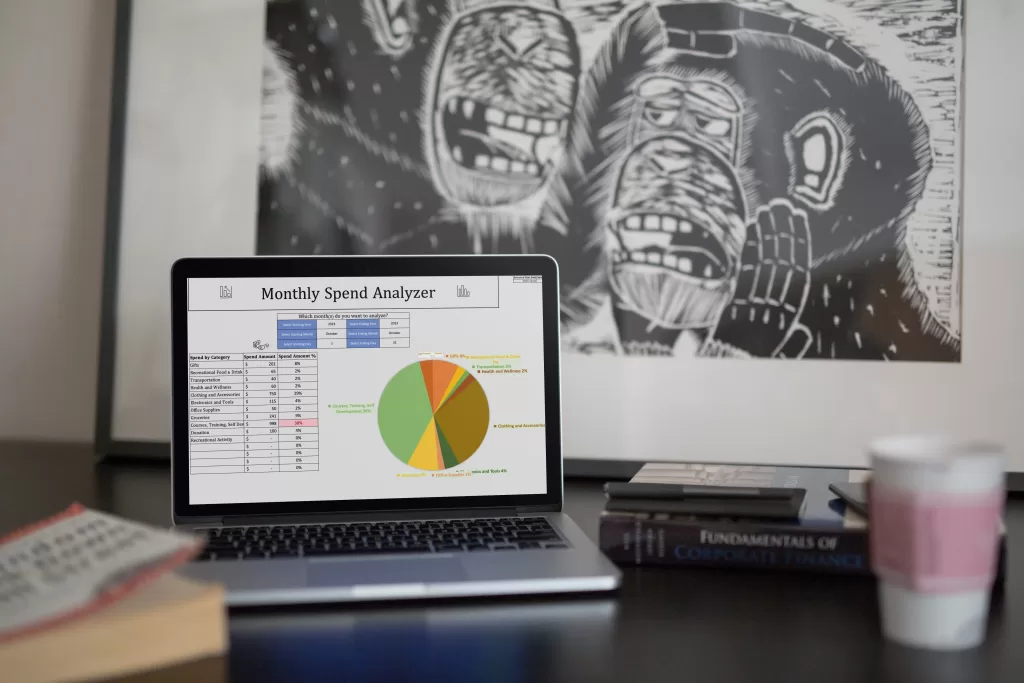
b. Charts: Use a pie chart to visualize the distribution of expenses by category or a line/bar chart to see how expenses trend over time.

5. Tips for Effective Expense Tracking
Consistency is Key: Ensure that you update your tracker regularly
Use the ‘Notes’ Column: If an expense seems out of the ordinary, jot down a note. It can be handy when reviewing your expenses later.
Backup Your Workbook: Don’t risk losing your data. Ensure regular backups.
Building an expense tracker using Excel doesn’t just aid in financial oversight—it’s a skill in itself. With consistent use and familiarity with Excel’s tools, you’ll be on the path to masterful financial management in no time.
6. Ready-Made Solution: Download a Pre-built Excel Expense Tracker
While building an expense tracker from scratch provides you with valuable insights and the flexibility to customize, it can be time-consuming. If you’re looking for a quicker solution, why not download a pre-built Excel tracker from us? We also have a version where you can see the exact formulas and formatting we used, so you can learn as you go.
Advantages of Downloading a Pre-built Tracker:
a. Time-efficient: No need to set up formulas or design—everything is ready for immediate use.
b. Expertly Crafted: Our templates available for download have been created by an expert with intricate knowledge of Excel functionalities, ensuring an error-free experience.
c. Feature-rich: Our downloadable trackers come with advanced features like automatic categorization, graphical dashboards, and more, which may take time to incorporate if you’re building one from scratch.
7. Conclusion
Building an expense tracker using Excel doesn’t just aid in financial oversight—it’s a skill in itself. With consistent use and familiarity with Excel’s tools, you’ll be on the path to masterful financial management in no time.
8. References
- Microsoft Support. (2021). Create a chart from start to finish. Retrieved from Microsoft’s official website
- ExcelJet. (2022). Excel formulas and functions. Retrieved from ExcelJet website
- Smith, J. (2020). The Complete Guide to Budgeting with Excel. Financial Freedom Press.
I hope this comprehensive guide instills confidence in you as you set out on your expense-tracking journey with Excel!