Description
The Simple Expense tracker excel template will make it extremely easy for you to track your expenses and understand exactly where your money is going. You’ll learn how much you spend on groceries, on entertainment, on transportation, and any other category you wish to track.
This simple tracker combines intelligent formulas, formatting and aesthetics making it the most simple and user friendly excel income and expense tracker template in the market.
Take back control of your financial life today with my solution to your financial management and financial planning problems.
What the Simple Expense Tracker can do for you?
- Understand exactly where your money goes
- Easily identify your biggest expense categories and make smart decisions
- See exactly how your financial decisions impact your spending month over month
- Take control of your financial future
- See immediately if you are spending more than you earn
- Save more money and spend more intelligently
- Reach your financials goals sooner by visually seeing your spending habits
- Develop stronger financial decision making skills for life
What’s Included?
- The Simple Expense Tracker - For Ladies [Excel File in English and Spanish - 2 Separate files]
- The Simpler Expense Tracker - For Men [Excel File in English and Spanish - 2 Separate files]
- Step By Step PDF Instructions and examples on how to use the Simple Expense Tracker
- Over 15+ hours of hard work to design and develop the most user friendly and simple expense tracker EVER
- Access on mobile and desktop (must have Excel 2021 or Microsoft 365)
- Compatible with Excel Online
Who is this template for?
- The Simple Expense Tracker is for anyone looking to take control of their financial future – for those who have financial success as a goal for themselves, their familiy or their children.
- This tracker is for both men and women as it comes in 2 different color aesthetics.
Get Excited About the Simple Expense Tracker
Key Features and Benefits of the Simple Expense Tracker
Data at Glance
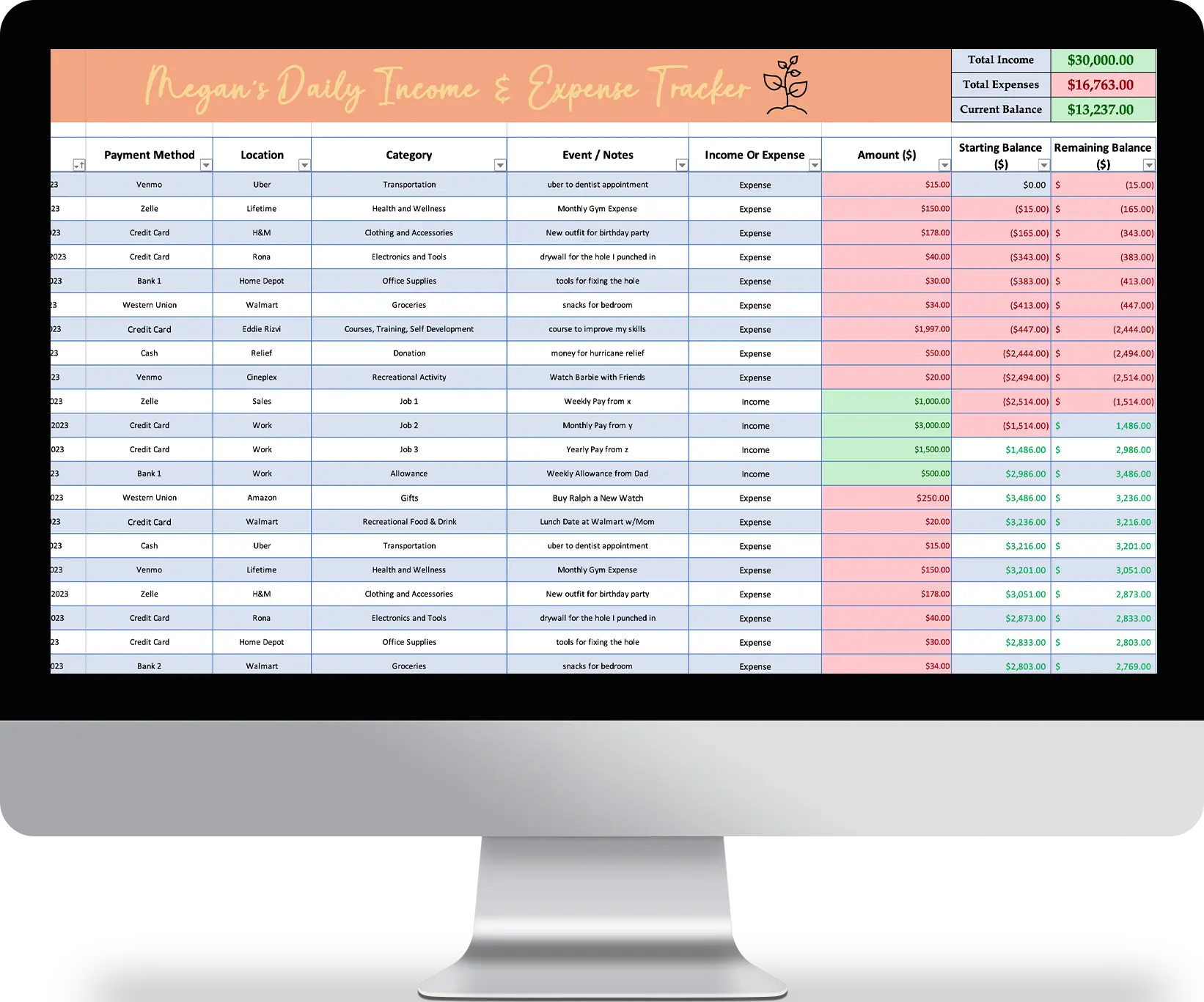
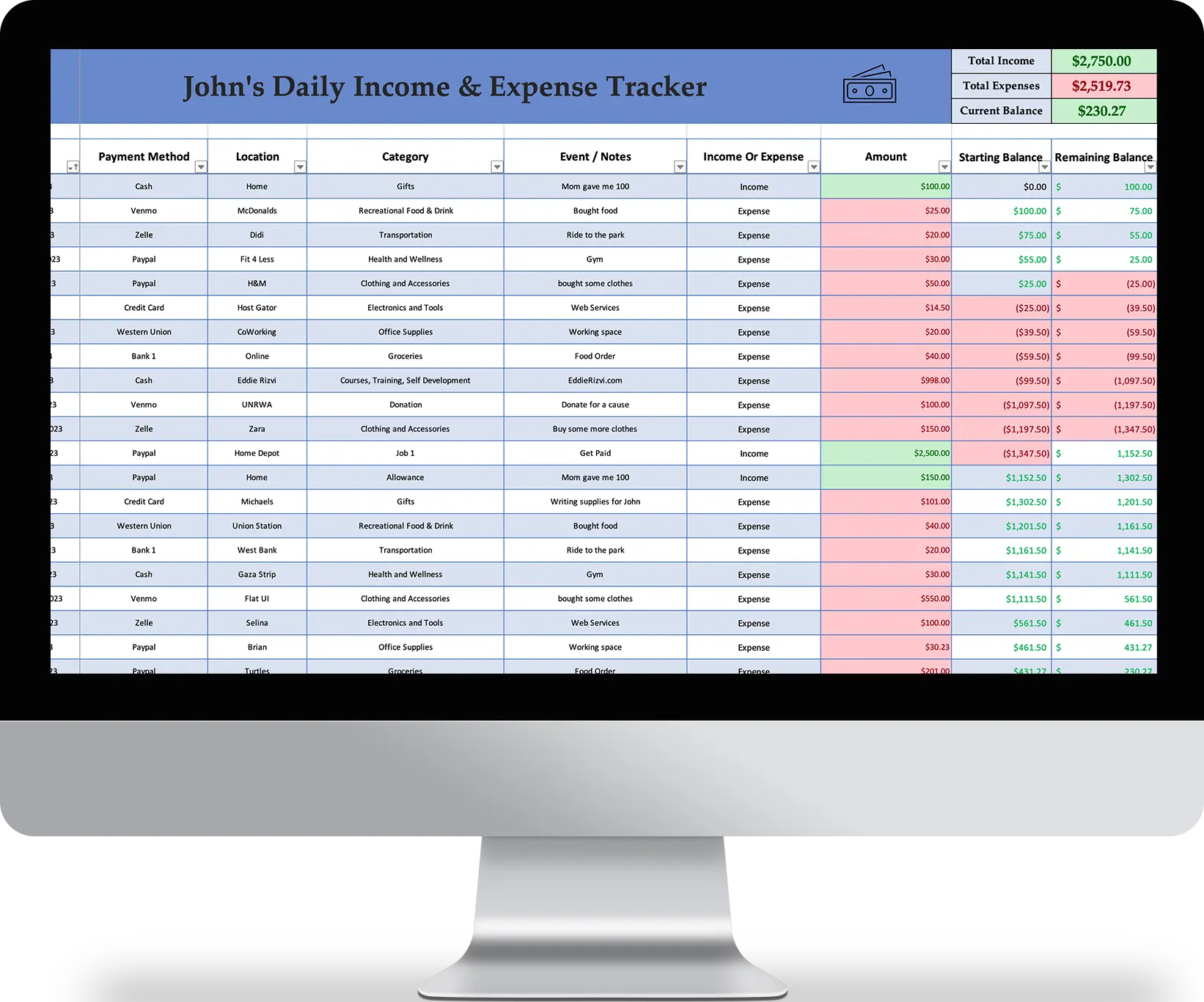
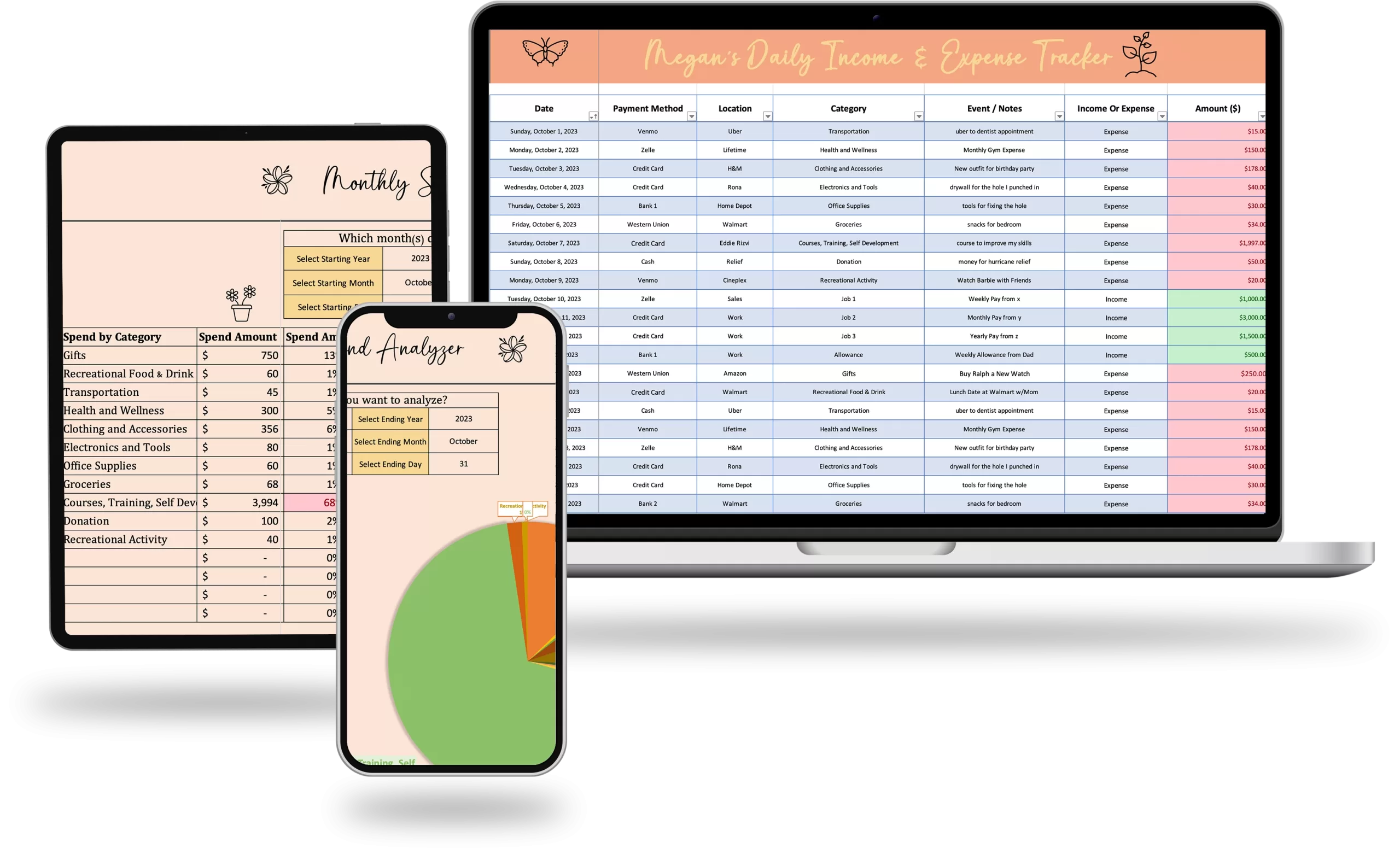
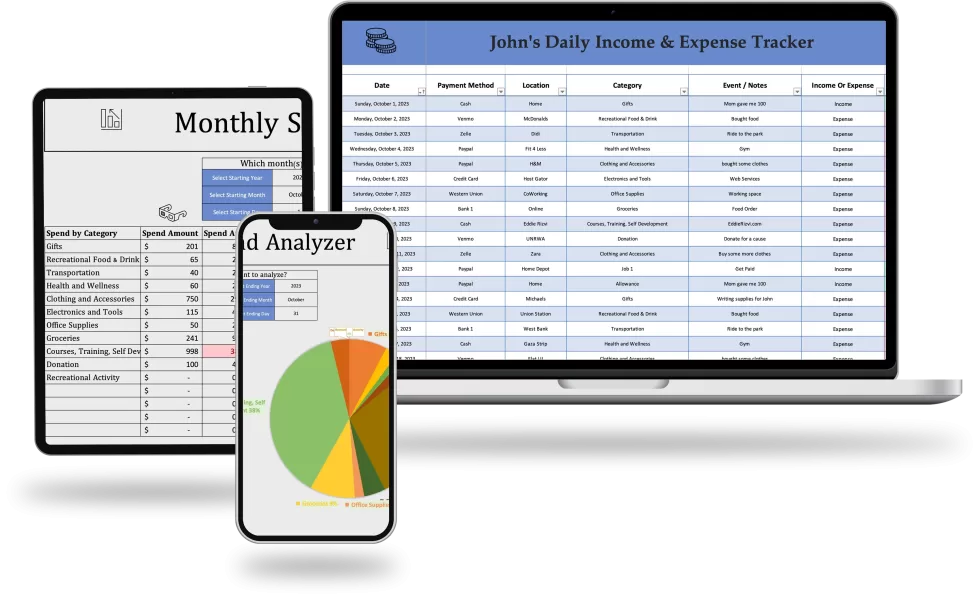
See your total lifetime income and expenses along with current balance without having to do any calculations
Data Entry
Easily log virtually an unlimited # of income and expenses
Visually See Your Spend
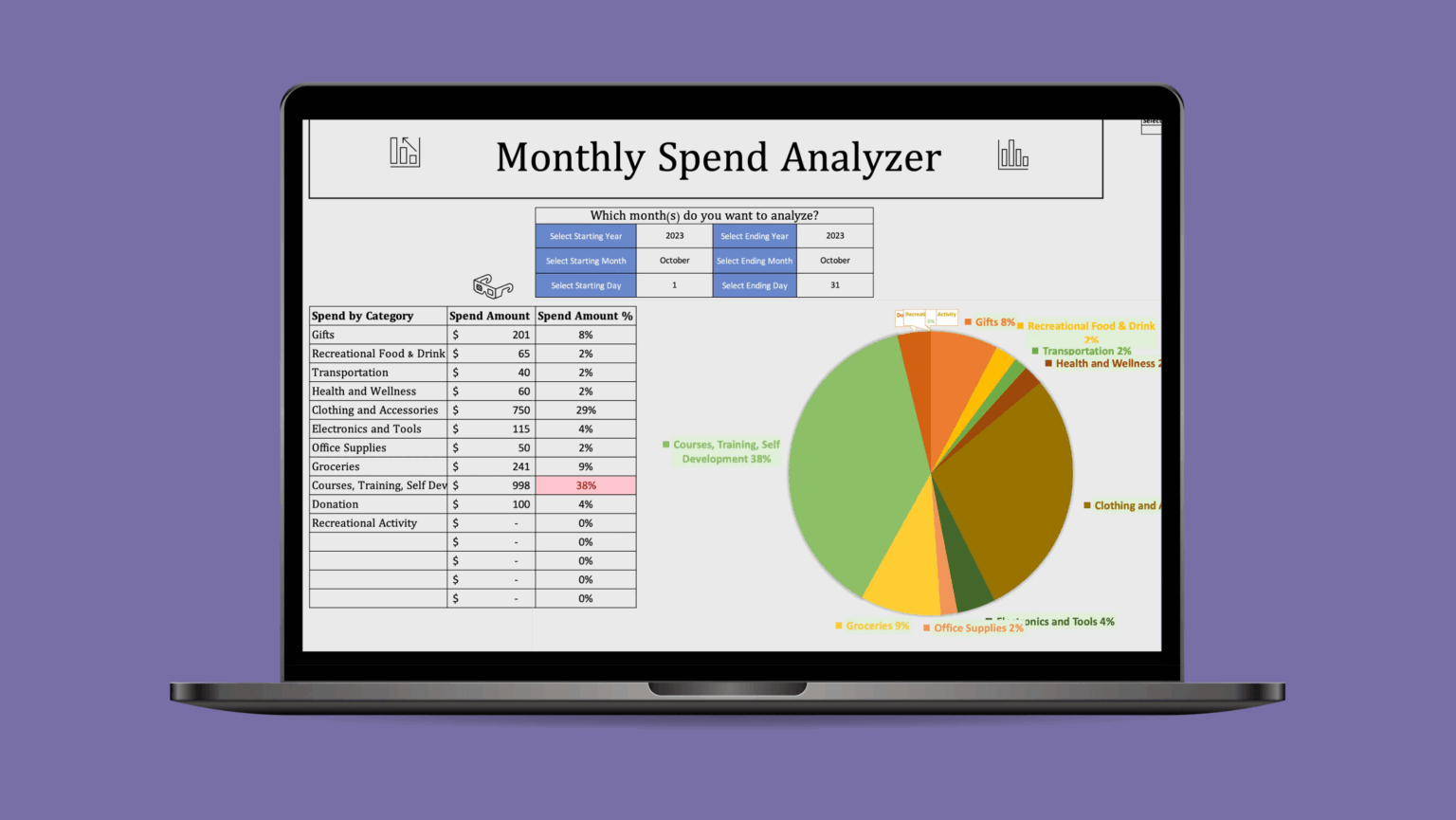
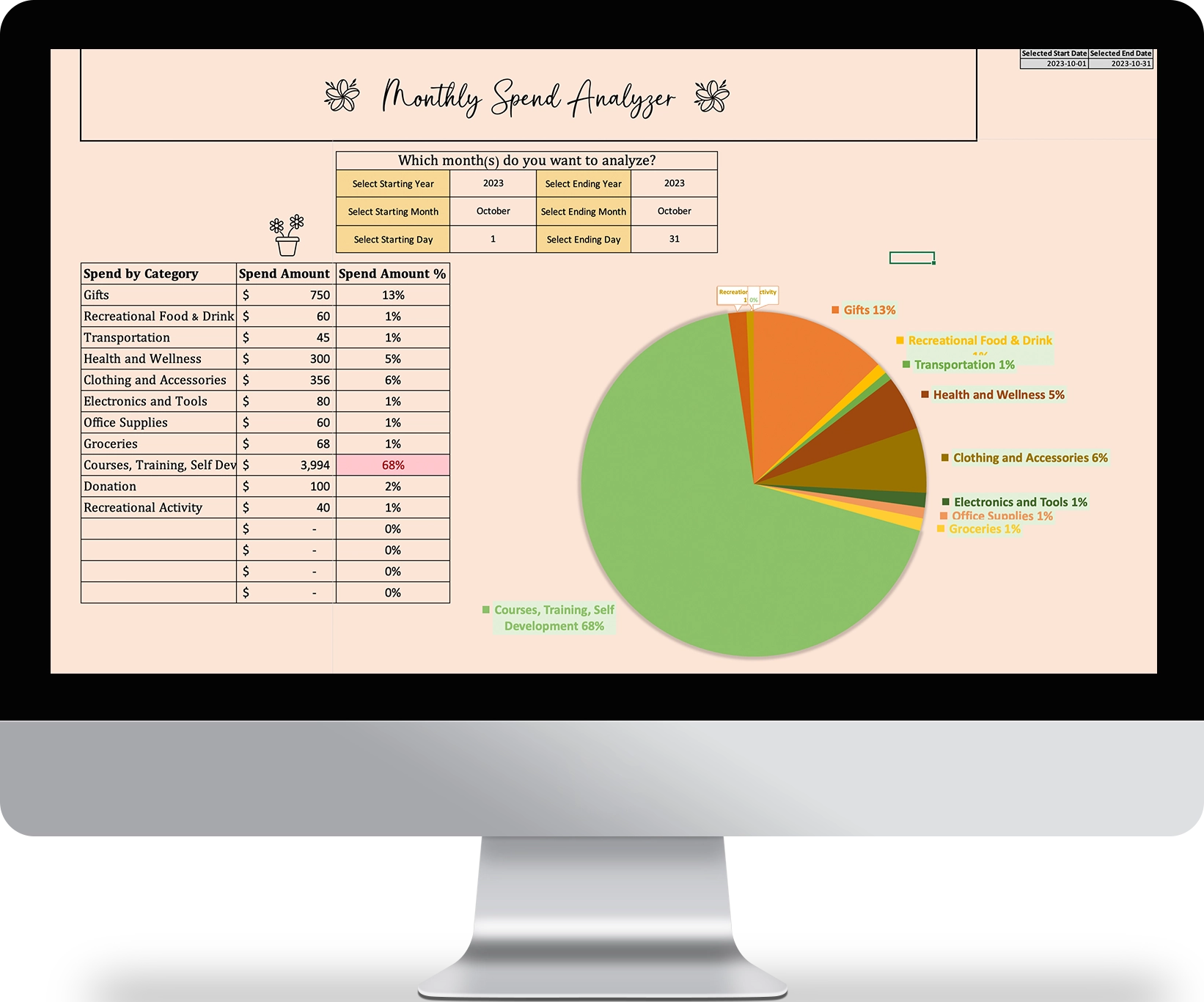
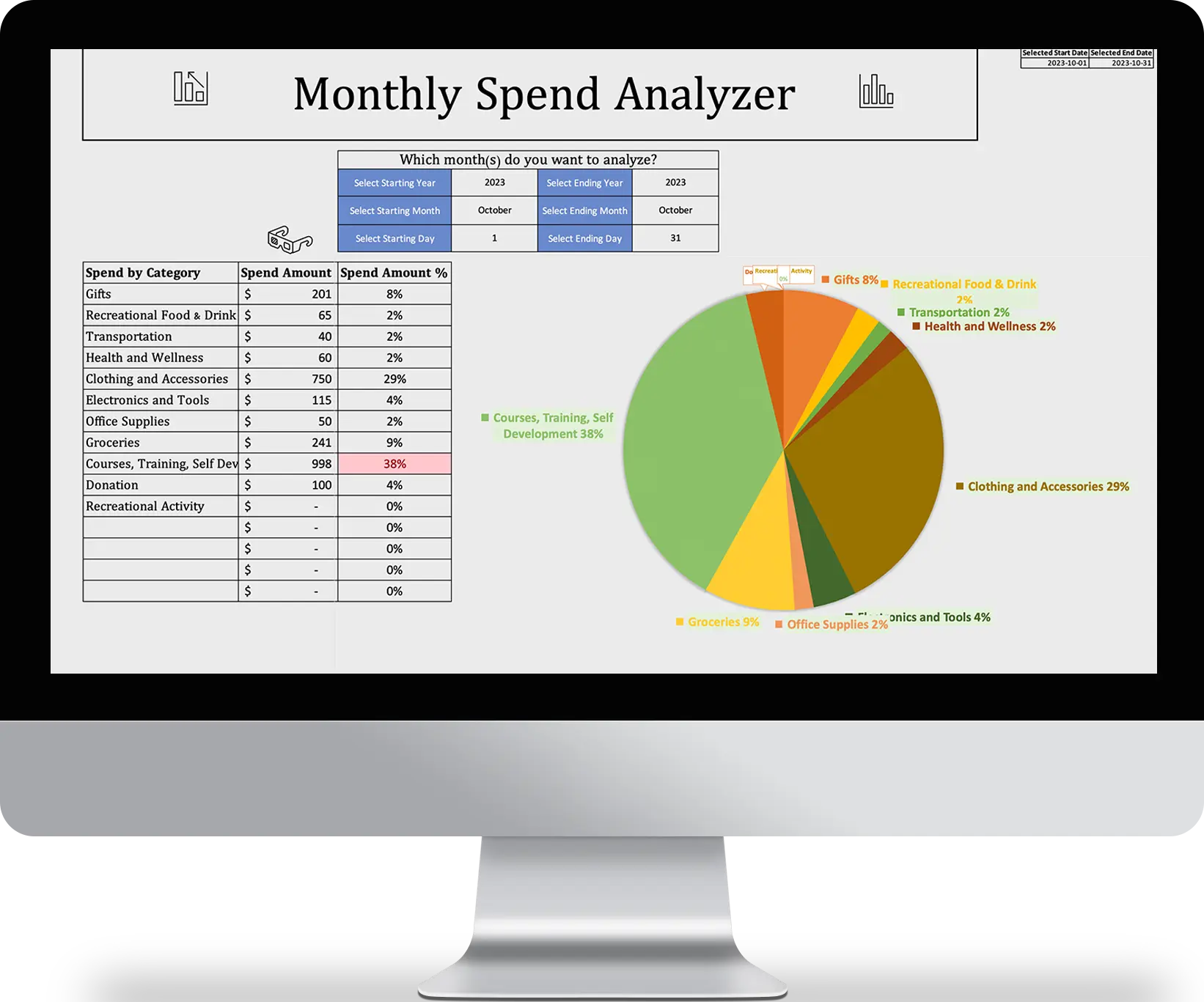
For those who learn better visually, you’ll see a dynamically updated pie chart showing you your spend over the chosen time period
Custom Categories
Add up to 15 custom categories of income and expenses to truly organize your finances and see the big picture
User Friendly Design
File is completely fool proof – you can’t break it or mess it up
Anaylze ANY time period
Fully customizable time period selection – see your spend over 1 day, 2 weeks, or even 3 years – YOU CHOOSE
Intelligent Formulas
Simply select income (money coming in) or expense (money going out) and the simple expense tracker will automatically calculate the rest
Relative Spend %
Estimate when you think each idea will start generating returns, adding a crucial time dimension to your planning.
Smart Formatting
Automatically updates based on the data you enter and the selections you make
Running Balance
Describe how you feel about each idea, from excitement to doubt, to make more informed decisions about which to pursue.
Easily see ALL expense categories ✔️
The intelligent formulas will automatically display all your expense categories, the corresponding dollar amount and relative spend %
Learn How To Use TheSimple Expense Tracker
Meet The Creator

Eddie is a top 1% IT / Tech project manager, operating as a consultant for billion and million dollar companies across North America. He has successfully managed a cumulative of $68M+ USD in project budgets to date, and implemented dozens of technology projects successfully in industries such as retail, security, manufacturing and e-commerce.
Some notable projects are:
- Network refreshes, Windows 7 to 10 Migrations, Avaya Telephone system upgrades
- Infrastructure implementation and upgrades, pricing label automation and implementation
- eCommerce home delivery automation and fulfillment, Wifi router replacement and upgrade
- New software development and deployment
- End of life hardware/software migrations and upgrades
- Retail store automation and innovation projects
- Website design, development and product launch projects
- Marketing, advertising and customer success projects
With over 8+ years of in-depth, extensively diverse, real world experience in leading global teams, creating efficacious project plans, managing risks and mitigating issues, Eddie is uniquely positioned as an authority and expert in the field of project management.
With Eddie’s ‘Life Changing Templates’, he combines his in-depth technical knowledge and industry expertise, with his burning passion for delighting the human experience through beautiful and innovative template designs.
What you get are highly optimized and visually pleasing templates that have proven track records in being successfully used in fortune 500 companies, as well as in his personal life and hobby projects.
Eddie is fluent in both English & Spanish and lives in Toronto, Canada.





Frequently Asked Questions
What do I need to use the Simple Expense Tracker from Eddie Rizvi?
Only a laptop or desktop running Windows 10 or Mac OS Big Sur or better is required. Access to a working copy of Microsoft Excel 2021 or Microsoft 365 is required. An internet connection is not required.
How many expense categories can I track at once?
With the Simple Excel Income and Expense Tracker you can track up to 15 categories at once.
Do I get both the Ladies and Men's version of the excel template?
Yes, you will receive both the ladies and men’s version, including the English and Spanish versions as well.
Will the Simple Expense Tracker Template improve my finances?
Yes! By using the Simple Expense Tracker template from Eddie Rizvi, you will learn and visually see how you spend your money and whether or not you spend more than you earn.
Only by learning about your finances and current situation, will you be able to improve upon it.
Can I share the download with others or sell the template to others?
No.
Each purchase of the template is intended for single use soley by the purchaser and may not be sold or distributed to anyone else.
Each template is protected by International Digital Copyright Laws.
If you wish to give the template to someone as a gift, you will be required to purchase another copy of the template.
How does the 7 day guarantee work?
If you are not satified with the purchase, you can email [email protected] and request that you would like a refund.
In your email, please include the:
- order #
- your full name
- and the reason for requesting a refund
Keep in mind that due to the nature of digital products, we have no way of revoking your access to the template once downloaded, even after you have requested a refund.
This guarantee is offered on a trust basis and we will honor your request as long as you meet the 7 day criteria, but reserve the right to stop honoring this request if we notice abuse (for example, purchasing multiple templates and then requesting a refund only to keep the templates afterwards.)
If you require financial assistance or cannot afford the nominal fee of the price of the template, kindly reach out to me at [email protected] and I will try to help.
Download Now
Premium
$0.00
- Log and Analyze Virtually Unlimited Expense and Income Entries
- Track up to 15 Unique Spend Categories at Once
- Comes Preset with Common Expense Categories
- Visually See Your Spend Across All Your Expense Categories
- Analyze Spend Data for ANY Time Period
- User Friendly Design and Protection (you cannot break the file or formulas)
- Intelligent Formulas and Formatting So You Don't Have to Lift a Finger
- Learn About Your Financial Situation and Make Better Financial Decisions
- Life Time Access and Future Updates
- Ability to Submit Feature Requests or Enhancements
- Step by Step PDF Instructions on How to Use the Tracker
- You get BOTH, Ladies and Men's Version of the Simple Expense Tracker in the Same Download
Advanced
$19.97
- Everything in Premium and...
- Unlock Formulas and Formatting (for Advanced Users looking to see "under the hood")
- + a bonus note and offer from Eddie Rizvi