Description
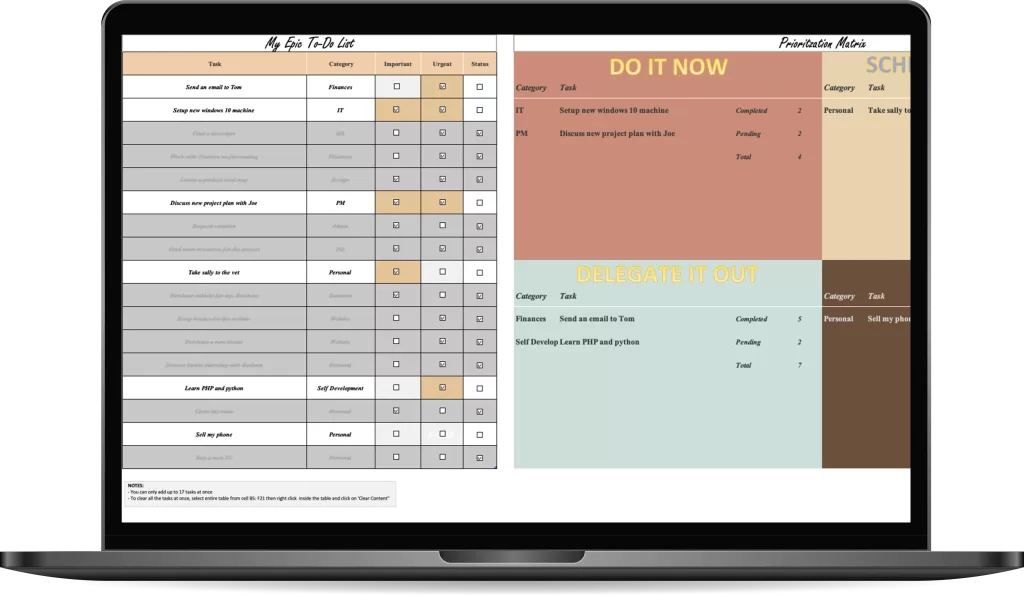
The Eisenhower Matrix for Decision Making excel template will automate prioritizing your tasks by automatically organizing your tasks into into 4 quadrants, as was identified by Mr. Eisen Hower himself.
Watch the Eisen Hower Matrix magically sort your tasks into “Do It Now”, “Schedule It In”, “Delegate It Out”, and “Don’t Do It” buckets.
This way you will always know what to work on and what to leave behind.
What the Eisenhower Matrix for Decision Making Excel Template can do for you?
- Ability to automate priority of 17 tasks at once
- Begin making better decisions
- Make better use of your time
- Improve your work flow and organization
- Improve your productivity and delegate out low value tasks
- Consciously focus and schedule in value adding tasks
- View all your completed tasks and get a motivation boost
- Become clear in your decision making at work and in your personal life
- Develop strong decision making skills for life
- Become adept at knowing when a task is important vs urgent
What’s Included?
- The Eisen Hower Matrix for Decision Making [Excel File in English and Spanish - 2 Seperate files]
- Step By Step Instructions and examples on how to use the EisenHower Matrix
- Over 23 hours of hard work to design and develop the most user friendly EisenHower Matrix Excel Template Ever
- Access on mobile and desktop (must have Excel 2016 or better)
- Compatible with Excel Online
Who is this template for?
The EisenHower Matrix for Decision Making Excel Template is for anyone looking to improve their productivity. People who feel they are not making the best use of their time can leverage the Eisen Hower Matrix Template to better prioritize their activities.
Get Excited About the EisenHower Matrix
Key Features and Benefits of the Eisen Hower Matrix
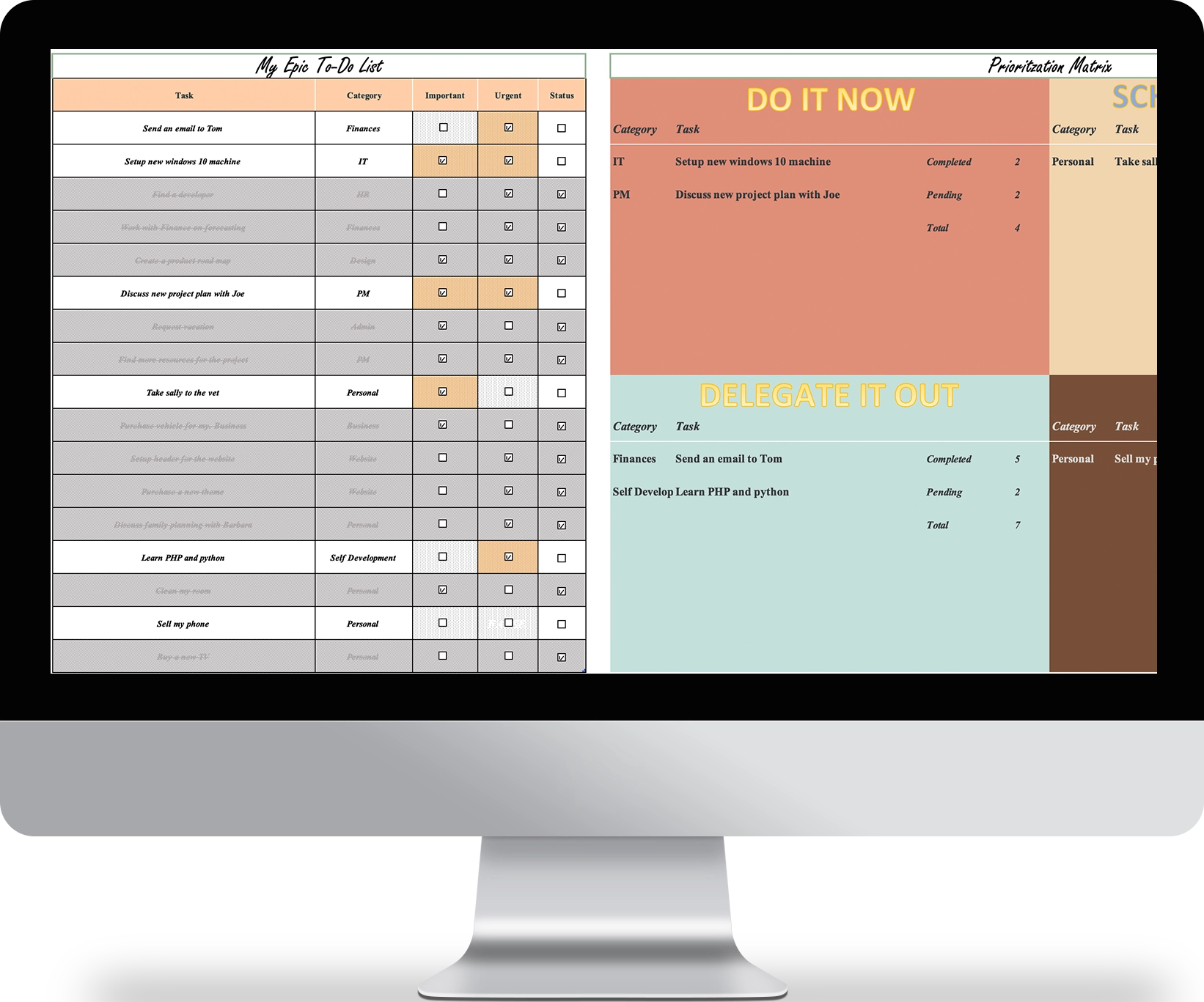
Task Setting
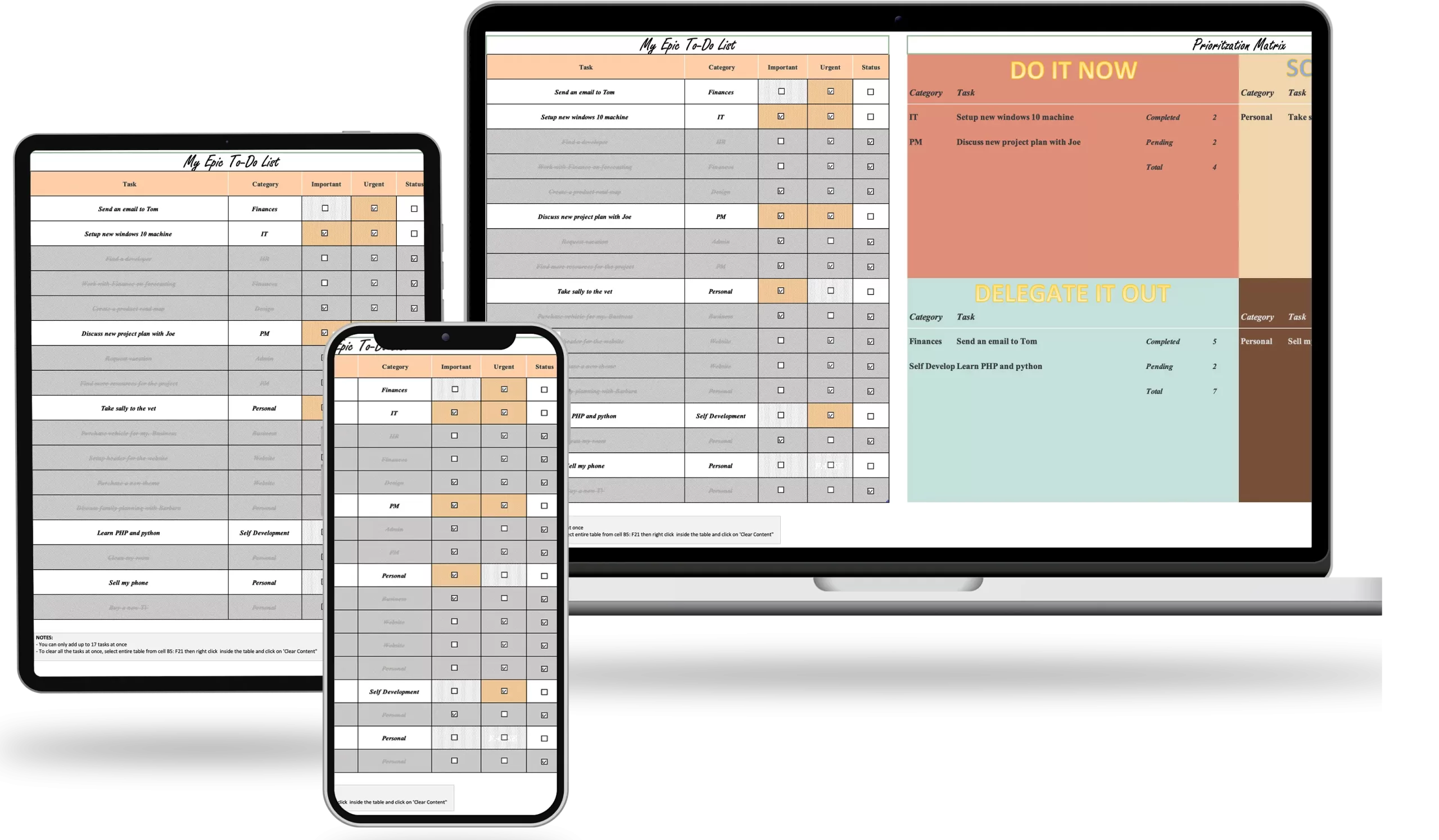
Add up to 17 tasks at once
Intelligent Sorting
Magically sorts all tasks to the correct quadrant on the Eisen Hower Matrix
Categories
Organize all your tasks by categories for better clarity
User Friendly Design
File is completely fool proof – you can’t break it or mess it up
Prioritization
Easily check off if your task is important, urgent or both
Beautiful Color Scheme
Visually appealing design appeals to both men and women
Smart Formatting
Automatically strikes out completed tasks so you can keep focused
Data Reporting
Understand how many tasks are completed and what’s pending
Learn How To Use The Eisen Hower Matrix
Meet The Creator

Eddie is a top 1% IT / Tech project manager, operating as a consultant for billion and million dollar companies across North America. He has successfully managed a cumulative of $68M+ USD in project budgets to date, and implemented dozens of technology projects successfully in industries such as retail, security, manufacturing and e-commerce.
Some notable projects are:
- Network refreshes, Windows 7 to 10 Migrations, Avaya Telephone system upgrades
- Infrastructure implementation and upgrades, pricing label automation and implementation
- eCommerce home delivery automation and fulfillment, Wifi router replacement and upgrade
- New software development and deployment
- End of life hardware/software migrations and upgrades
- Retail store automation and innovation projects
- Website design, development and product launch projects
- Marketing, advertising and customer success projects
With over 8+ years of in-depth, extensively diverse, real world experience in leading global teams, creating efficacious project plans, managing risks and mitigating issues, Eddie is uniquely positioned as an authority and expert in the field of project management.
With Eddie’s ‘Life Changing Templates’, he combines his in-depth technical knowledge and industry expertise, with his burning passion for delighting the human experience through beautiful and innovative template designs.
What you get are highly optimized and visually pleasing templates that have proven track records in being successfully used in fortune 500 companies, as well as in his personal life and hobby projects.
Eddie is fluent in both English & Spanish and lives in Toronto, Canada.





Frequently Asked Questions
What do I need to use the EisenHower Matrix Template?
Only a laptop or desktop running Windows 10 or Mac OS Big Sur or better is required. Access to a working copy of Microsoft Excel 2016 is required. An internet connection is not required.
How many tasks can I automate at once?
With the Eisnhower Matrix for Decision Making Free Excel Template, you can add up to 17 tasks at once.
Will the Eisenhower Matrix Excel Template Improve my decision making skills?
Yes! With the free excel Eisen Hower Matrix template from Eddie Rizvi, you will learn how to make better decisions and eventually get to a point where you no longer need to use the template, and can make effective decsions on what to work on and prioritize all on your own.
What happens if I need to add more than 17 tasks?
Only a maximum of 17 tasks can be added. This is to ensure the matrix and automation feature works correctly everytime.
To add more than 17, you will need to clear the tasks that you have already completed or that you no longer want to track.
Can I share the download with others or sell the template to others?
No.
Each purchase of the template is intended for single use soley by the purchaser and may not be sold or distributed to anyone else.
Each template is protected by International Digital Copyright Laws.
If you wish to give the template to someone as a gift, you will be required to purchase another copy of the template.
Only the free version can be shared with others.
How does the 7 day guarantee work?
If you are not satified with the purchase, you can email [email protected] and request that you would like a refund.
In your email, please include the:
- order #
- your full name
- and the reason for requesting a refund
Keep in mind that due to the nature of digital products, we have no way of revoking your access to the template once downloaded, even after you have requested a refund.
This guarantee is offered on a trust basis and we will honor your request as long as you meet the 7 day criteria, but reserve the right to stop honoring this request if we notice abuse (for example, purchasing multiple templates and then requesting a refund only to keep the templates afterwards.)
If you require financial assistance or cannot afford the nominal fee of the price of the template, kindly reach out to me at [email protected] and I will try to help.
Download Now
Free
$0.00
- Add up to 17 tasks at once
- Automate task prioritization
- Data Reporting / Statistics
- See # of completed tasks vs Pending
- User Friendly Design for both men and women
- Smart Formatting built in
- Increase your productivity and make better decisions
Premium
$9.97
- Everything in Free +
- Unlock Formulas and Formatting (for Advanced Users looking to see "under the hood")
- Email Support Included