Description
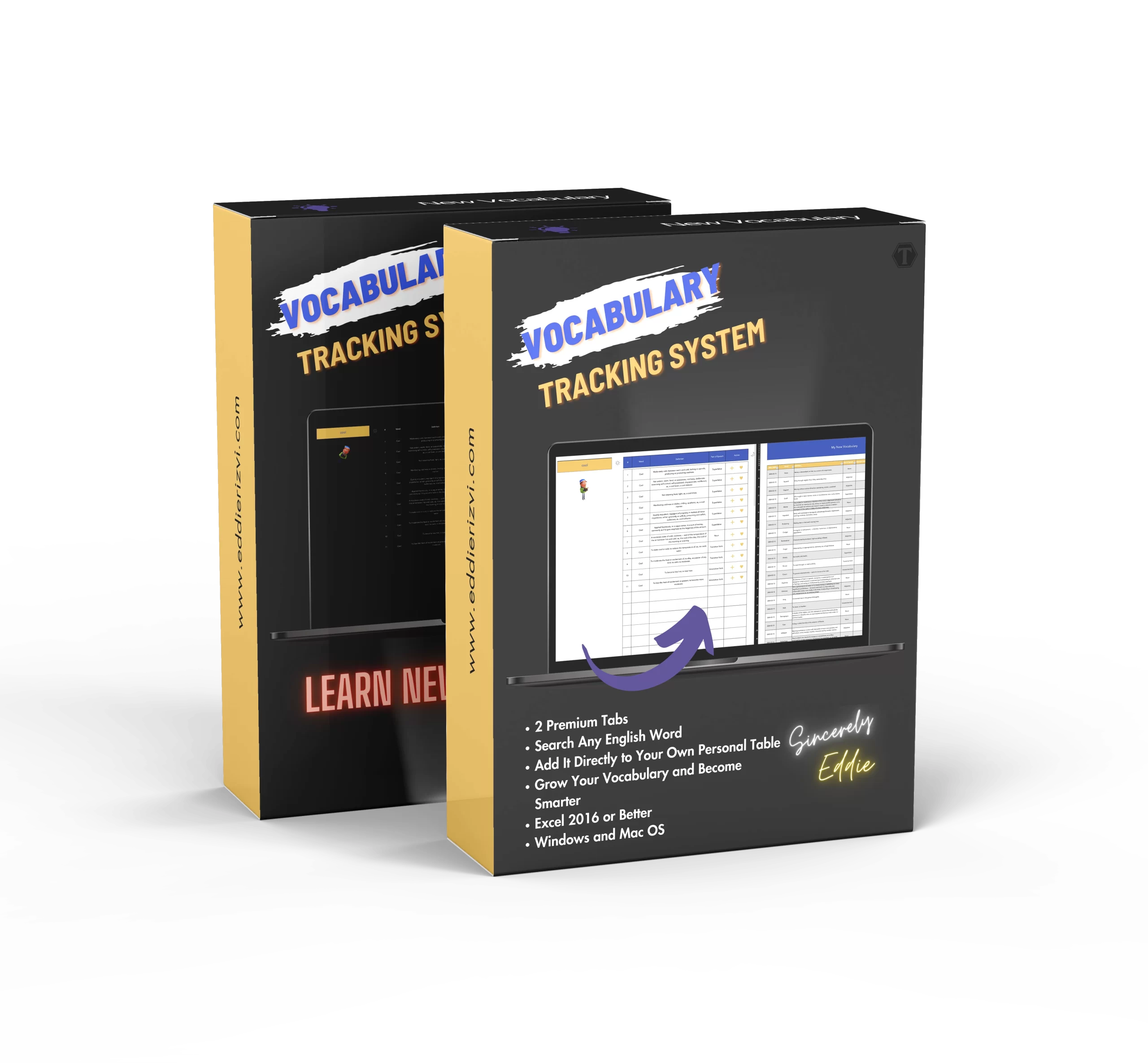
Improve your language skills and expand your vocabulary with our handy vocabulary tracking template, designed to simplify your process of discovering, learning and managing new words. With an extensive database of over 175,000 English words, an automated search for definitions and parts of speech, you can quickly add new words to your study list.
Thanks to its easy-to-use features, you can bookmark your favorite words, track your learning progress, and review words by the date they were added. This tool is perfect for anyone who wants to learn more vocabulary. By offering a structured approach, this template ensures that your vocabulary learning process is organized, simple and effective.
What can The Vocabulary Tracking System do for you?
- Time Efficiency: save time with automated word searches and definitions, allowing you to focus more on learning rather than manual entry and research.
- Enhanced Learning: Contextual learning through example sentences helps you improve comprehension and retention of new vocabulary. This method ensures that you understand how to use new words effectively.
- Motivation and Progress Tracking: Clear visualization of your vocabulary growth keeps you motivated and aware of your progress. This feature helps you stay committed to your learning goals.
- Ease of Use: The user-friendly design ensures that even if you do not possess minimal technical skills you can efficiently use the template. This makes vocabulary learning accessible to everyone.
- Comprehensive Coverage: Suitable for learners of all levels, from beginners to advanced users, providing a versatile tool that can adapt to your evolving vocabulary needs.
- Focused Learning: The ability to bookmark favorite words and review them regularly ensures that you can prioritize and reinforce essential vocabulary. This focus aids in better retention of important words.
- Comfortable Experience: Light and dark themes offer a comfortable user experience in various lighting conditions, reducing eyestrain and making study sessions more enjoyable and long-lasting.
- Efficient Review: Scheduled review sessions based on the date you added the word help reinforce memory and ensure that no words will slip your mind over time. This systematic review process will strengthen vocabulary retention.
- Motivational Boost: Seeing tangible progress through tracking vocabulary growth can boost your confidence and encourage continued learning. This visual progress acts as a powerful motivator.
- Flexibility and Adaptability: The flexibility of the template allows it to grow with you, adapting to your changing vocabulary needs and pace of learning.
What’s Included?
- The Vocabulary Tracking System Template [Excel File in English]
- Step By Step Instructions on how to use this Excel tool for vocabulary tracking
- A pre-filled copy of the template with dummy data so you can see how the template works and how you should use it
- Lifetime updates and enhancements
- Intuitive design and built in fun (a gnome reading a book that rotates)
- Email Support
- + a bonus note and offer from Eddie Rizvi
What’s Included?
- This template is ideal for students, writers, language learners and anyone who wants to expand their English vocabulary.
- Whether you are studying for exams, writing creatively or just passionate about languages, this tool will help you systematically improve your vocabulary.
- This template is versatile and beneficial for anyone who wants to improve their language skills and expand their vocabulary.
Key Features and Benefits of The Vocabulary Tracking System
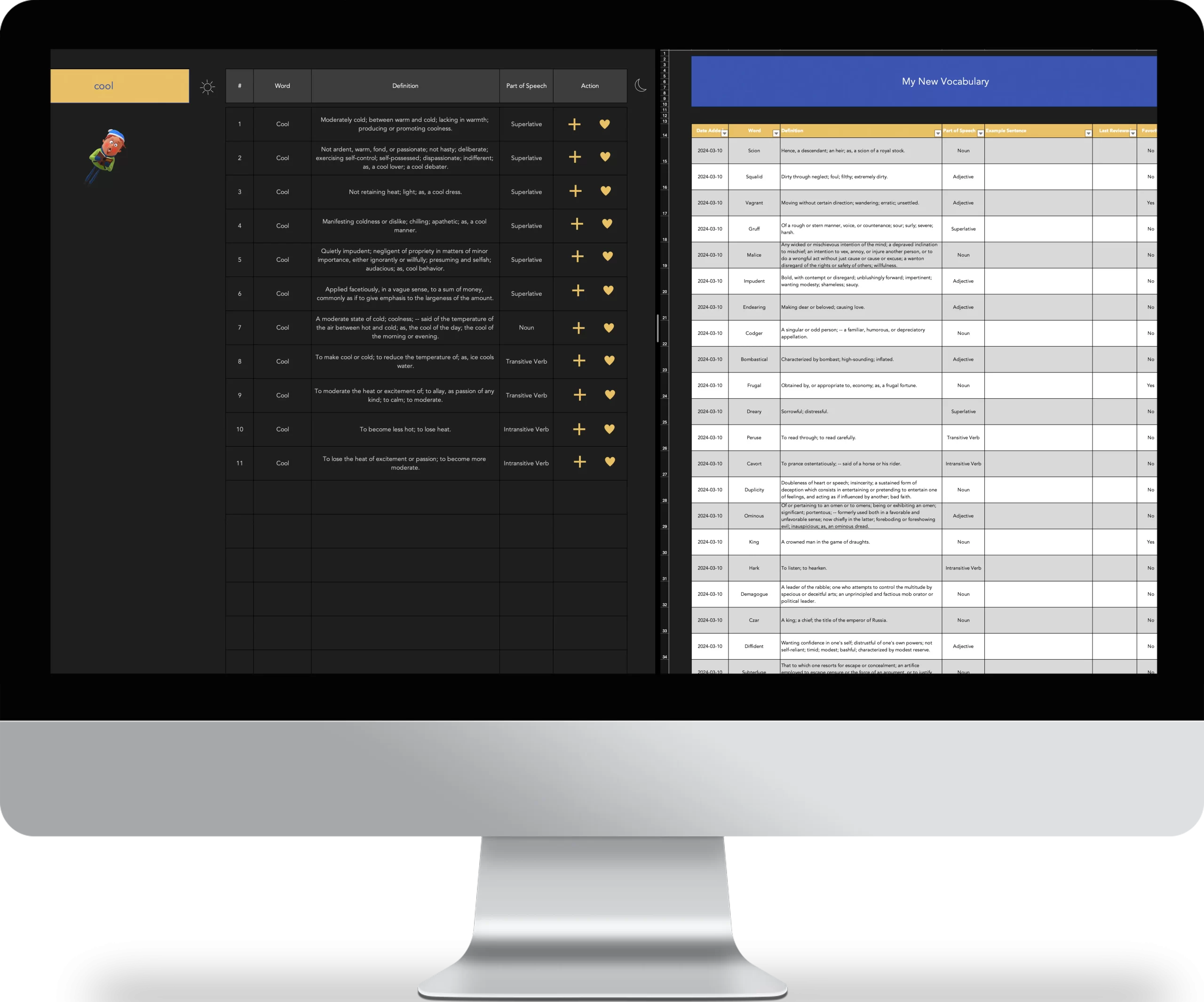

Easily look up and save new words along with their definitions and parts of speech
This feature allows you to build a solid vocabulary without the hassle of manual searches and entries. By streamlining the process, you can focus more on learning and less on administrative tasks. The automated search feature makes finding new words fast and efficient, saving you valuable time.
Monitor the status of each word to see if it is fully learned or still in practice
Tracking the status of each word helps you identify words that need more attention. This feature ensures that your learning is progressive and complete. By monitoring your progress, you can focus on the words that require more practice, leading to more effective learning
Highlight important vocabulary by marking words as favorites
This helps you prioritize keywords that are crucial for your studies or writing. Favorite words are easily accessible, allowing you to review and reinforce them quickly. By marking words as favorites, you can create a personalized list of essential vocabulary tailored to your specific needs.
Switch between light and dark themes for a comfortable user experience
Whether you study during the day or at night, you can change the theme with a single click to reduce eyestrain. The ability to switch themes ensures that you can study comfortably in any lighting conditions, enhancing your overall experience.
Keep track of when each word was added to organize review sessions
This chronological tracking helps you effectively organize your study sessions. You can refer back to older entries to reinforce memory and ensure retention. By knowing when each word was added, you can schedule periodic reviews to keep the vocabulary fresh and active in your memory.
Include example sentences to understand the context in which words are used
Contextual learning helps you better understand and use new vocabulary. By seeing how words work in sentences, you can improve both your understanding and their application. Example sentences provide real-life examples, making it easier to understand the nuances of word usage.
Meet The Creator

Eddie is a top 1% IT / Tech project manager, operating as a consultant for billion and million dollar companies across North America. He has successfully managed a cumulative of $68M+ USD in project budgets to date, and implemented dozens of technology projects successfully in industries such as retail, security, manufacturing and e-commerce.
Some notable projects are:
- Network refreshes, Windows 7 to 10 Migrations, Avaya Telephone system upgrades
- Infrastructure implementation and upgrades, pricing label automation and implementation
- eCommerce home delivery automation and fulfillment, Wifi router replacement and upgrade
- New software development and deployment
- End of life hardware/software migrations and upgrades
- Retail store automation and innovation projects
- Website design, development and product launch projects
- Marketing, advertising and customer success projects
With over 8+ years of in-depth, extensively diverse, real world experience in leading global teams, creating efficacious project plans, managing risks and mitigating issues, Eddie is uniquely positioned as an authority and expert in the field of project management.
With Eddie’s ‘Life Changing Templates’, he combines his in-depth technical knowledge and industry expertise, with his burning passion for delighting the human experience through beautiful and innovative template designs.
What you get are highly optimized and visually pleasing templates that have proven track records in being successfully used in fortune 500 companies, as well as in his personal life and hobby projects.
Eddie is fluent in both English & Spanish and lives in Toronto, Canada.





Frequently Asked Questions
How can this template help me improve my vocabulary?
This template provides a structured approach to tracking new words, understanding their meanings and uses, and monitoring your progress, making vocabulary expansion more efficient and effective.
What makes this template different from others?
Our template stands out for its automation features, extensive word database and user-friendly design, making it more efficient and easier to use than other available tools.
Also, another advantage is that you don’t need an internet connection, when you download it you can use it to study the new words you want to learn whenever and where ever you want.
Is it easy to track my vocabulary progress?
Absolutely, the template records the date each word was added and allows you to track the status, so you can easily monitor your progress over time.
Is this template suitable for English language learners?
Is this template suitable for English language learners?
Is this template compatible with all versions of Excel?
We recommend using Excel 2016 or newer for the best experience.
What kind of technical support do you offer?
We offer full technical support via email to resolve any questions you may have. We are ready to help you get the most out of your template just send an email to [email protected] and we will answer your request as soon as possible so you can have a great experience.
Can I share the download with others or sell the template to others?
No. Each template purchase is intended for the exclusive use of the buyer and cannot be sold or distributed to anyone else. Each template is protected by International Digital Copyright Laws. If you wish to gift the template to someone, you must purchase another copy of it.
How does the 7-day guarantee work?
If you are not satisfied with your purchase, you can send an email to [email protected] and request a refund.
In your email, please include the:
Order number
Your full name and the reason you are requesting a refund.
Please note that due to the nature of digital products, we have no way to revoke your access to the template once downloaded, even after you have requested a refund.
This guarantee is provided on the basis of trust and we will honor your request as long as it meets the 7-day criteria, but we reserve the right to stop honoring this request if we observe abuse (e.g. purchasing multiple templates and then requesting a refund only to keep the templates afterwards).
If you need financial assistance or cannot afford the nominal fee of the template price, please contact me at [email protected] and I will try to help you.
Download Now
Free
$0.00
- The Idea Tracker [Excel File in English]
- 1 Tab included - New Idea Tab to log your ideas
- Step By Step Guide on how to use this excel idea tracker template
- Intuitive design and beautiful interface
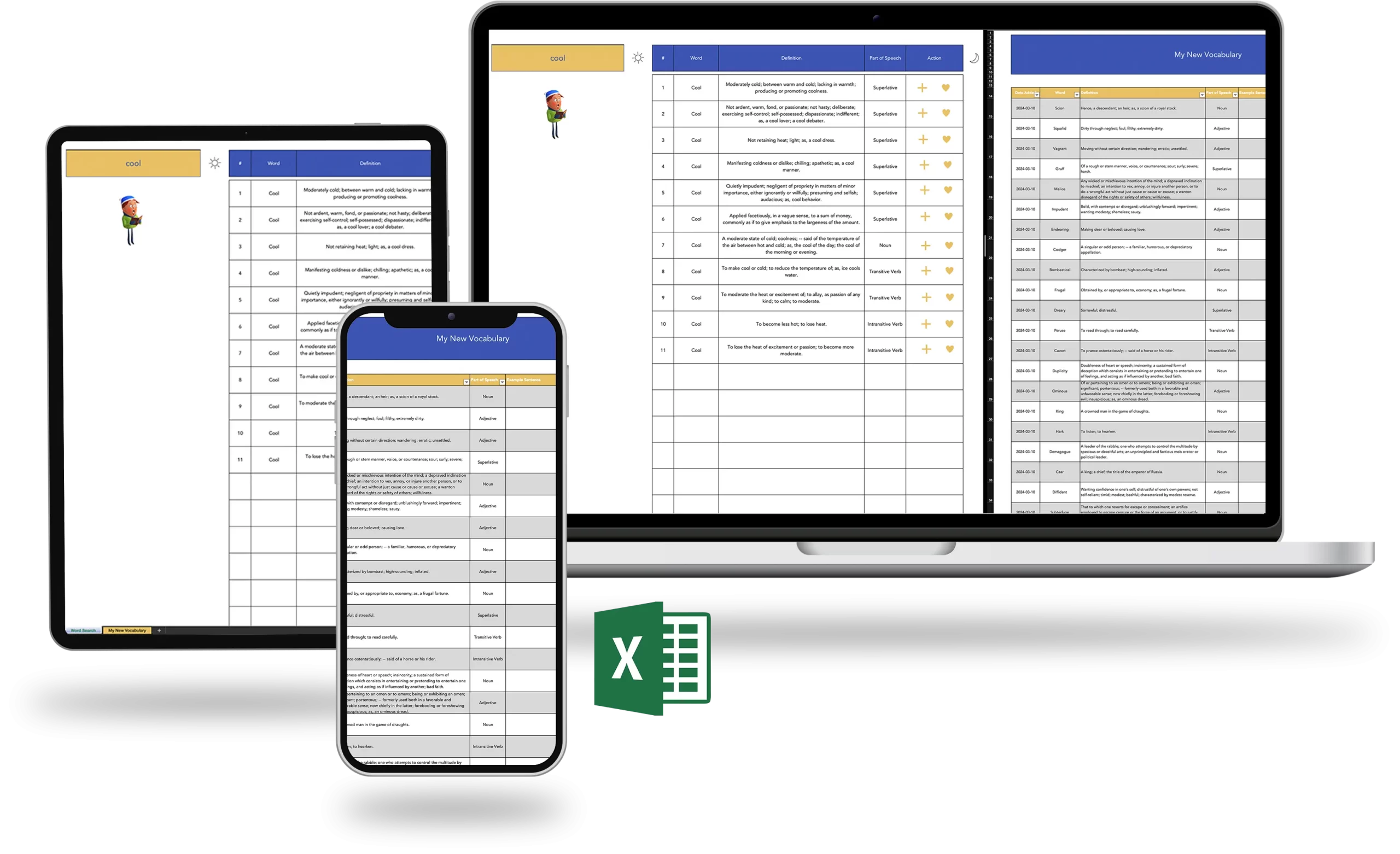
- Access on mobile and desktop (must have Excel 2016 or better)
Premium
$19.97
- The Vocabulary Tracking System Template [Excel File in English]
- Step By Step Instructions on how to use this Excel tool for vocabulary tracking
- A pre-filled copy of the template with dummy data so you can see how the template works and how you should use it
- Lifetime updates and enhancements
- Intuitive design and built in fun (a gnome reading a book that rotates)
- Access on mobile and desktop (must have Excel 2016 or better)
- Email Support
- + a bonus note and offer from Eddie Rizvi