
Table of Contents
How to Organize your Digital Life
Step 1: Declutter Your Existing Files
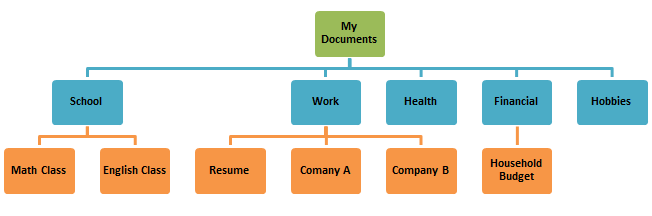
Step 2: Create a Top-Level Categorization
Step 3: Organize Your Files into Folders
How to Organize your Digital Life
In today’s digital age, our computers often become the digital equivalent of cluttered, disorganized drawers. Files, documents, and downloads accumulate over time, making it challenging to find what we need when we need it. The solution? Establishing an organized folder structure on your computer. Let’s break down the process into manageable steps that will help you regain control of your digital space.
Step 1: Declutter Your Existing Files
Before diving into creating a new folder structure, it’s essential to start with a clean slate. Begin by meticulously going through all the files in your Downloads or Documents folder (or wherever you store your data).
Delete Unnecessary Files: ruthlessly delete files, images, and documents that you no longer need. Be honest with yourself and let go of digital clutter – later you’ll see how to categorize digital files effectively.
Step 2: Create a Top-Level Categorization
Once your digital space is decluttered, it’s time to create a logical folder structure. Begin by identifying overarching categories for your files. Here are some common examples to consider:
- Personal Projects: For your personal creative ventures, be it writing, art, or any other projects.
- Finances: Store all your financial documents, statements, and budget-related files here.
- Vacation Photos/Videos: Keep your cherished memories from trips and vacations in one place.
- Books and Courses: Store e-books, course materials, and reading lists here.
- Games: Organize your gaming-related files, including saved games, mods, and related content.
Step 3: Organize Your Files into Folders
Now that you have established top-level categories, it’s time to move your files into their respective folders – an unmissable step in knowing how to categorize digital files effectively.
1. Create Subfolders: Within each top-level category, create subfolders to further organize your files. For example, under “Vacation Photos/Videos,” you can have subfolders for each trip or destination.
2. Move Files: Start moving your files into the newly created folders. Be systematic and make sure each file finds its rightful place.
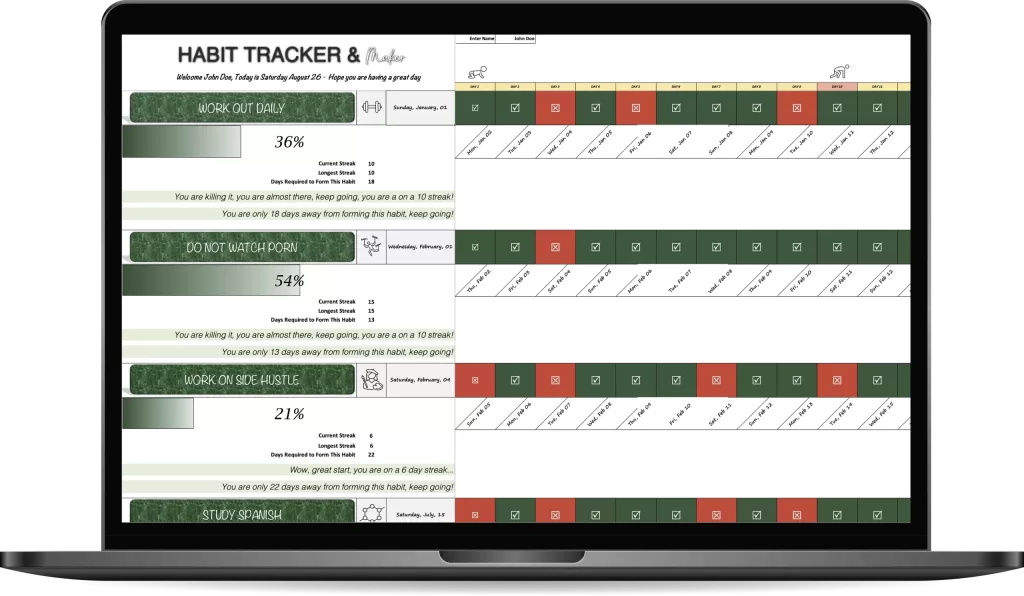
Check out all sorts of templates to improve your organization
Step 4: Ongoing Evaluation and Refinement
Your folder structure is not set in stone. Over time, as you accumulate more files, you’ll need to revisit and refine your organization. Here’s how to do it:
1. Regularly Review Your Folders: Periodically review the contents of your folders. If you notice a particular category or subfolder is becoming too cluttered, consider creating additional subcategories.
2. Stay Consistent: Whenever you download or create a new file, make it a habit to assign it to the appropriate folder immediately. This will prevent future clutter and maintain an organized system.
Benefits of an Organized Folder Structure
Establishing and maintaining an organized folder structure offers several benefits:
- Efficiency: Quickly locate files when you need them, saving you time and frustration.
- Reduced Stress: A clutter-free digital space reduces mental clutter and enhances your overall sense of well-being.
- Productivity: Improved organization can lead to increased productivity as you spend less time searching for files.
- Better File Management: It becomes easier to manage and update your files, ensuring you always have access to the most current versions.
Setting up an efficient folder structure on your computer is an essential step in organizing digital files for productivity, and yet a simple and powerful way to declutter your digital life. By following these steps and regularly reviewing and refining your system, you’ll maintain an organized digital workspace that enhances your productivity and overall digital well-being.